
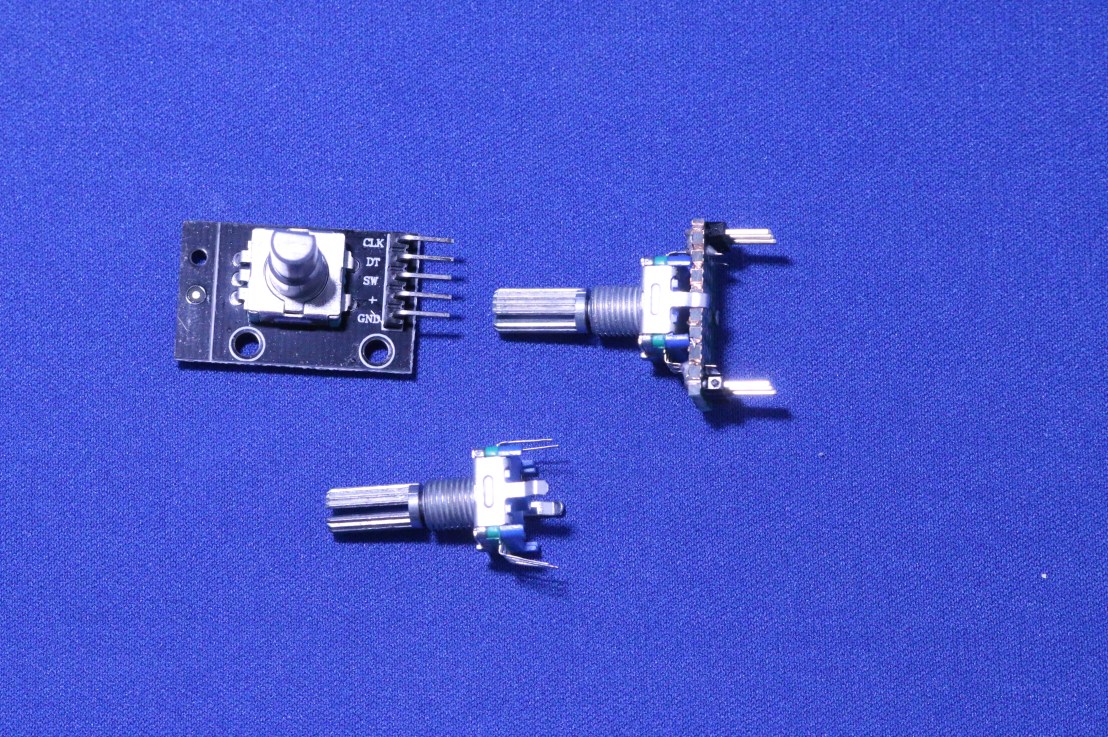
Do you remember the first VCR (Video Recorders) coming to the market? I am old enough to remember them and being the only person in the house that could program it to record upcoming content. This involved getting on your knees under the TV and pushing lots of tiny buttons while looking at a tiny LCD screen. Fortunately, we have come a long way in our interface designs from the obtuse VCR of the 1980s. Putting a user interface on a small Microcontroller project remains a challenge.
Video
Not every project needs a user interface but some do, to allow local configuration. This might be selecting which colour or pattern to use on a WS2812B LED strip, or the temperature at which to turn on a cooling fan. Local configuration is always useful. Hooking up an OLED display to a microcontroller like the Raspberry PI Pico or RP2040 is very straightforward. Though that only gives us basic drawing primitives; pixels, text and lines. No operating system means no windows or menu framework.
It is unusual for a microcontroller project to have a mouse or a keyboard. Most will have a few switches. Already we are in danger of reproducing the VCR experience. We have all done that, I certainly have. I have found using a rotary encoder helps me think about a more human-centric interface. Rotary Encoders are freely rotating switches from which we can detect movement clockwise or counterclockwise. They also frequently have an SPST switch included too. A common example of a rotary encoder is a physical rotating volume control or the middle wheel button on a traditional mouse.
Using a rotary encoder it is quite logical to navigate through a menu by rotating clockwise and counterclockwise, then clicking to select a menu item. For simple numeric input or selecting between lists of items, it is also quite natural to use a rotating control. Coding to read a rotary encoder can seem challenging, particularly with the mechanical rotary encoders which are nice and cheap but also produce a lot of electrical noise. Tronic Bench wrote up an excellent blog on how to tame this noise and read from the rotary encoder using a polling strategy. A must-read for anyone planning to use a rotary encoder. https://www.best-microcontroller-projects.com/rotary-encoder.html
I have previously blogged about one of my projects using a Rotary Encoder (https://drjonea.wordpress.com/2022/04/13/iot-fan-controller/). The IoT Fan Controller used a rotary encoder and OLED 128 by 32-pixel display to provide a user interface. The rotary encoder operated the menu to change preset temperatures and fan speeds. This feels quite natural to scroll with a rotary encoder selecting the menu item and dialling up or down a numeric value.
In my Raspberry PI PICO Micro Projects (C++) course on Udemy (https://www.udemy.com/course/rpi-pico-microprojects-c1/?referralCode=2F48111FD8290C72D4C7) I talk through the approach to using a Rotary Encoder. Using a simple example of the rotary encoder moving the lit LED around an LED ring with the Raspberry PI Pico microcontroller board or any RP2040 board. If you are only just getting started with the Raspberry Pi Pico then take a look at my Introduction to C Development Environment for Raspberry PICO course (https://www.udemy.com/course/introduction-to-c-development-environment-for-raspberry-pico/?referralCode=875319E04F95C9EC3414).
If you are interested in Raspberry Pi, Pico, RP2040, ESP32 or IoT, then please do follow me on social media.


