
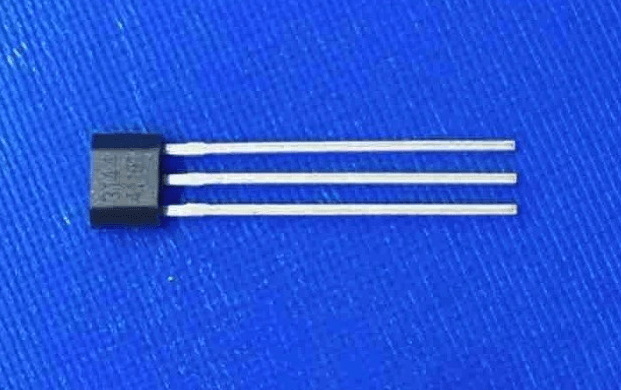
I’ve published a Video Blog on using the A3144 Hall Effect sensor with the Raspberry PI Pico or RP2040 board. This blog post is an abridged write-up of the content.
I did a video blog earlier this year on driving a 28BYJ-38 stepper motor from the Raspberry PI Pico. The demo had the motor track the position of lit LEDs on an LED ring. To do that I had to sync the motor position with the LED at the start, and keep it in sync. I used a slot detector to do that which are great device but bulky. So for some other projects, I have been exploring Hall Sensors as an alternative and the A3144 Hall Sensor.

The Hall Effect was discovered by Edwin Hall in 1879. Hall discovered that electrons are attracted to the north pole of a magnet while flowing through a conductor. Therefore in the presence of a magnet, a voltage can be detected 90 degrees off of the electron flow.

The A3144 is a semiconductor-based hall sensor. It is a 5-volt device with a digital output and 2 microsecond detection time. The classic circuit shown to connect this to the microcontroller is this one. This gives a 5Volt output on the GPIO when no magnetic field is detected, falling to the ground on a magnet north pole being brought near to the device.

The Pico and RP2040 is a 3.3 volt GPIO device. Should we connect a 5V device directly to a 3.3Volt inputs? The majority of the GPIO inputs on the Pico are 5 Volt tolerant, but not all. GP26 to GP28 are not 5 volt tolerant and would be damaged if we plugged this device straight in.
I would rather convert this to a 3.3 volt output. I could do that using a voltage divider, but actually, it is easier than that. If we simply pull the output up to 3.3 volts then we get a 3.3volt GPIO output from the sensor. So this is how I am connecting the sensor to the Pico.

I’ve built a little project example that does exactly this. When a magnet is brought near to the sensor it turns on an LED. The code for this example can be found at GitHub https://github.com/jondurrant/RPIRP2040A3144Exp. Basically I connect the sensor to GP14 and an LED to GP15. Then I use a GPIO interrupt to detect the rising and falling state on GP15.

There is a video where I talk through this over on my YouTube channel and you can watch it here too.

One thought on “A3144 Hall Effect Sensor with the Raspberry PI Pico”